Team01 / 05
One diary
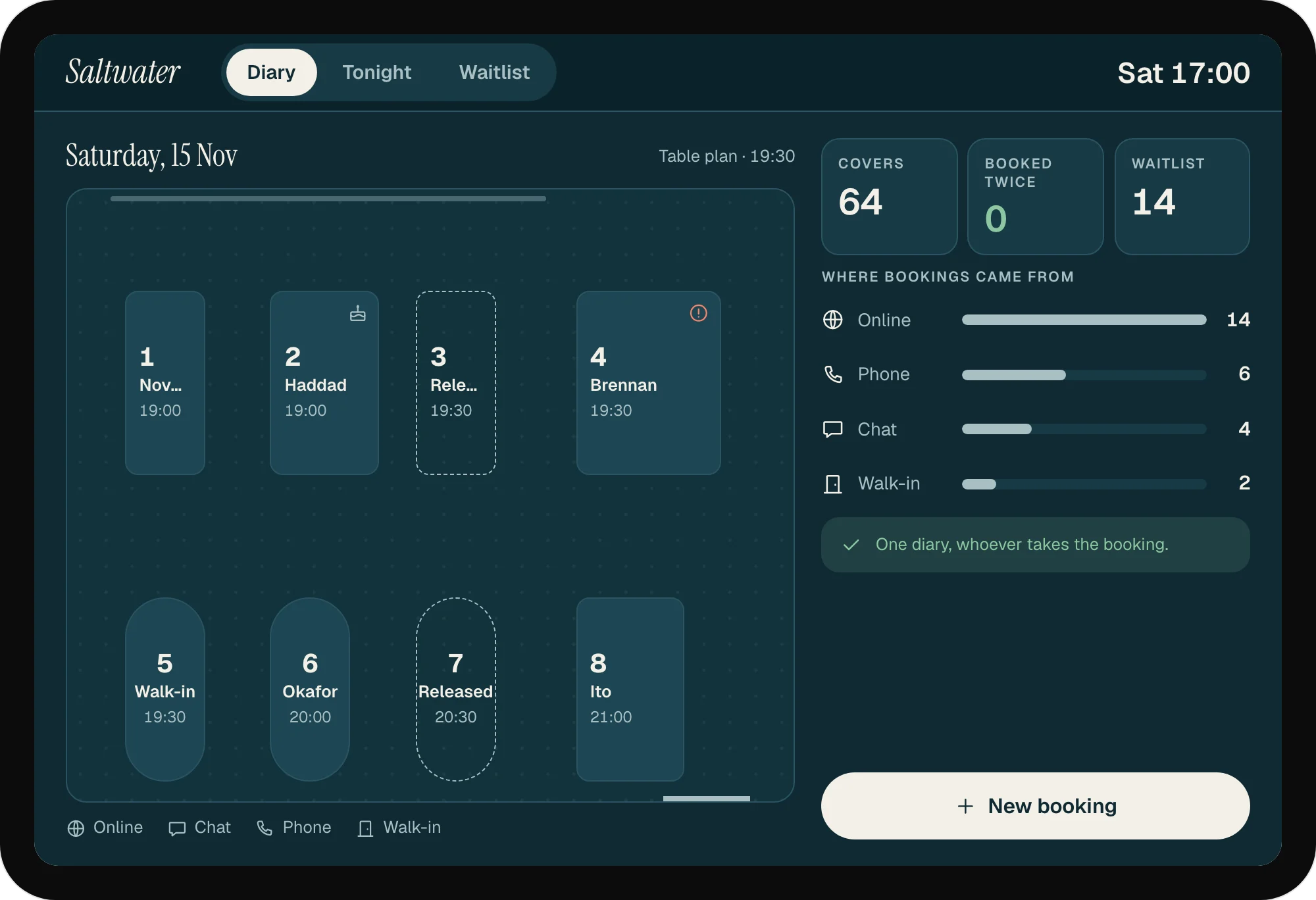
Online, chat, phone and walk-in bookings fill one table plan. Tonight is full, and nothing is booked twice.
Saltwater Kitchen · Reservations and daily sales
On a Saturday at Saltwater Kitchen, the phone rings through service and the host turns away twenty tables' worth of people. Two of the tables they did book never arrive. On Tuesday the same dining room is half empty, and the kitchen has fish it needs to sell.
Bookings come by phone, chat and walk-in, and live in a paper diary at the host stand. Busy nights bring double bookings when two people write in the diary at once. The owner adds up the day's takings after close, and only sees which dishes sold when the accountant sends the month's figures.
The weekend problem and the midweek problem are the same problem. The people turned away on Saturday are the best guests for Tuesday: they already wanted to come. A booking system that remembers them can fill a quiet night with people who already chose the restaurant.
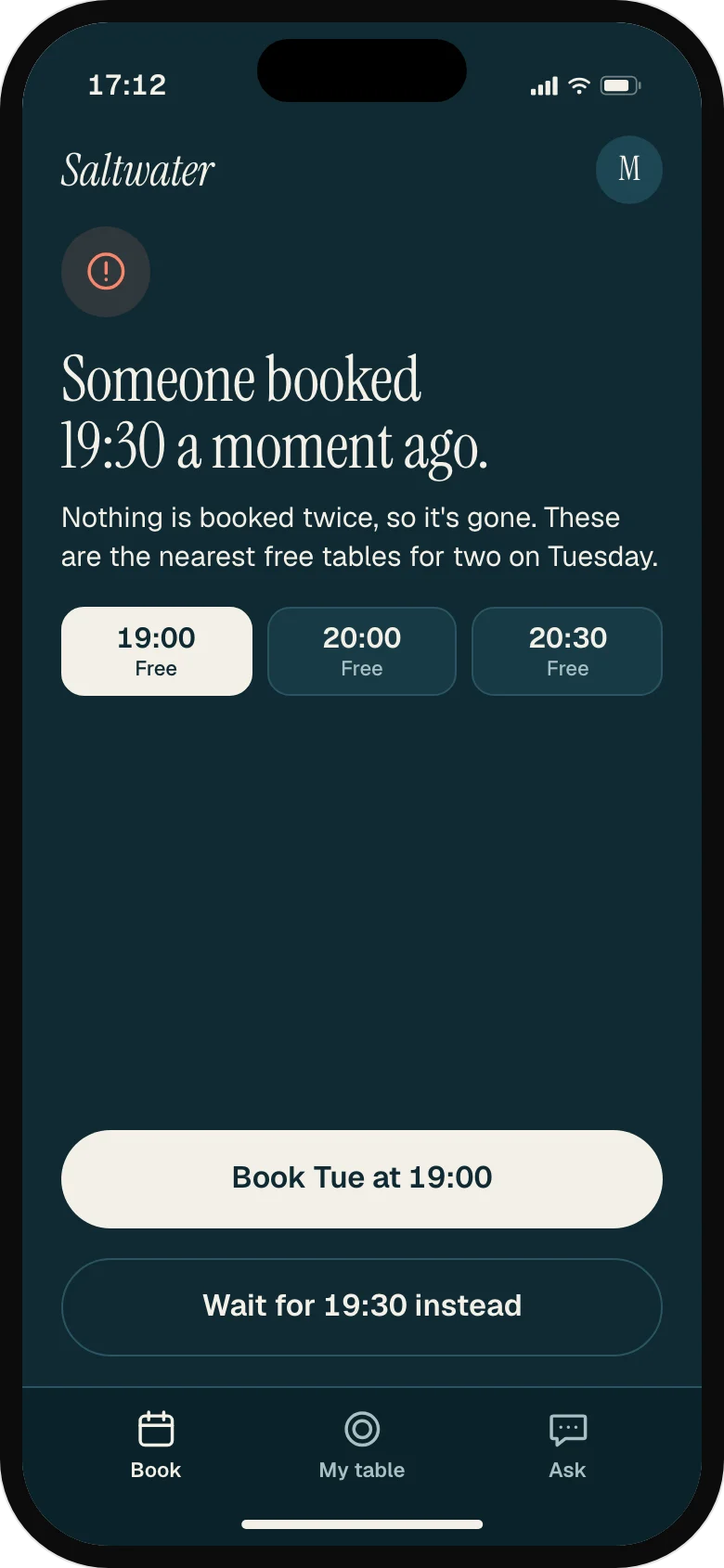
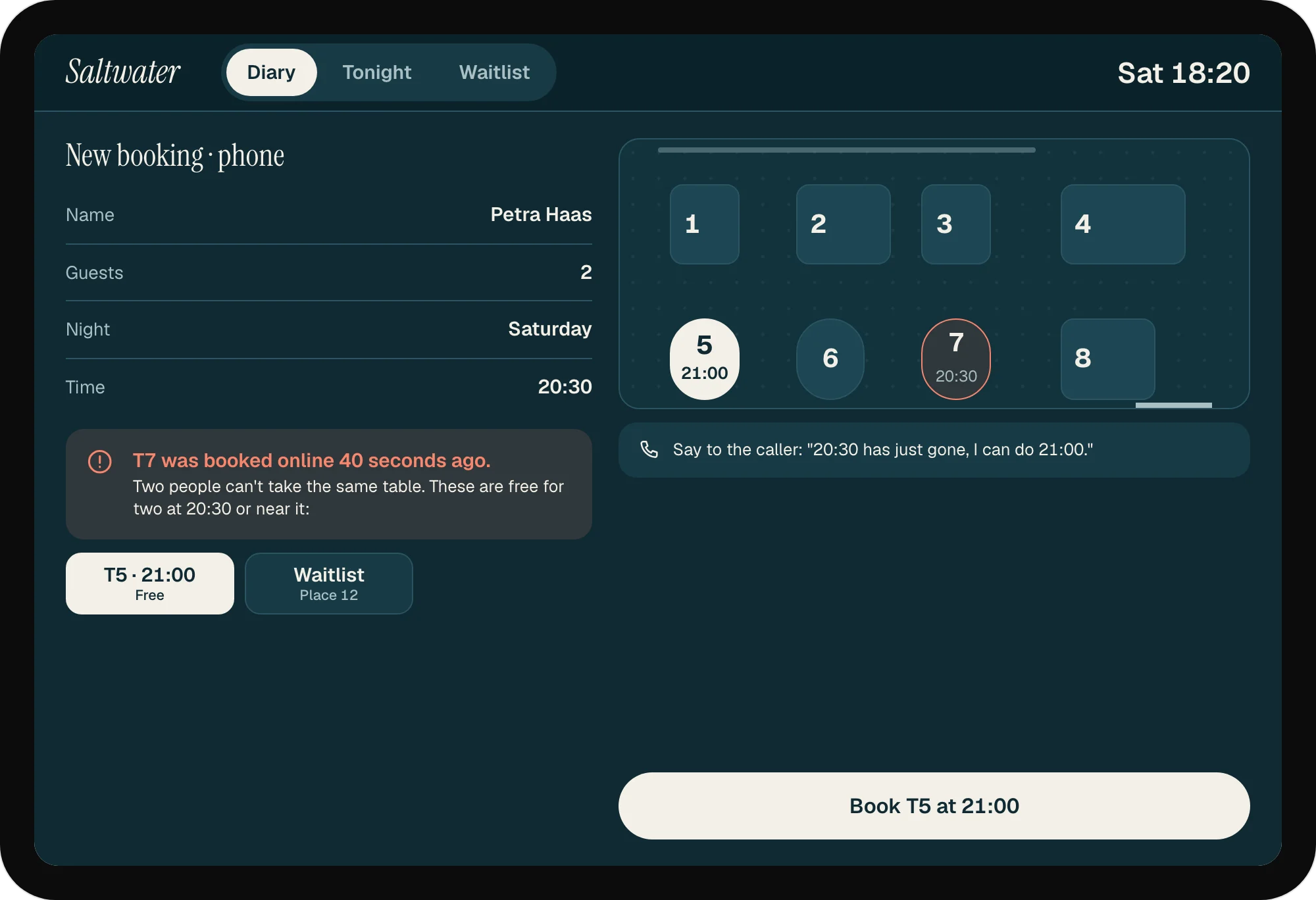
Online, chat, phone and walk-in bookings in one table plan, so a table can't be booked twice. Each booking shows where it came from, and a phone booking for a table just taken online is stopped with the nearest free one.
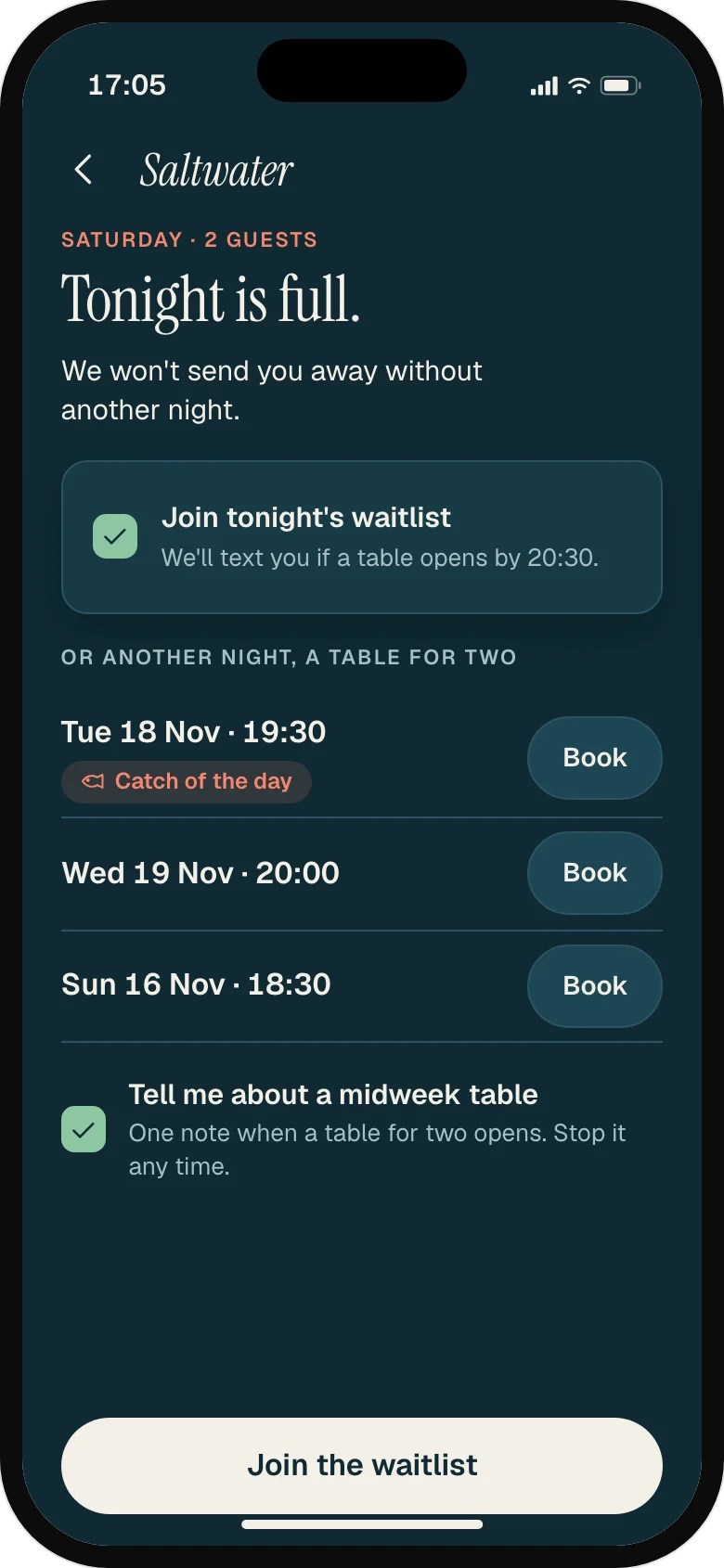
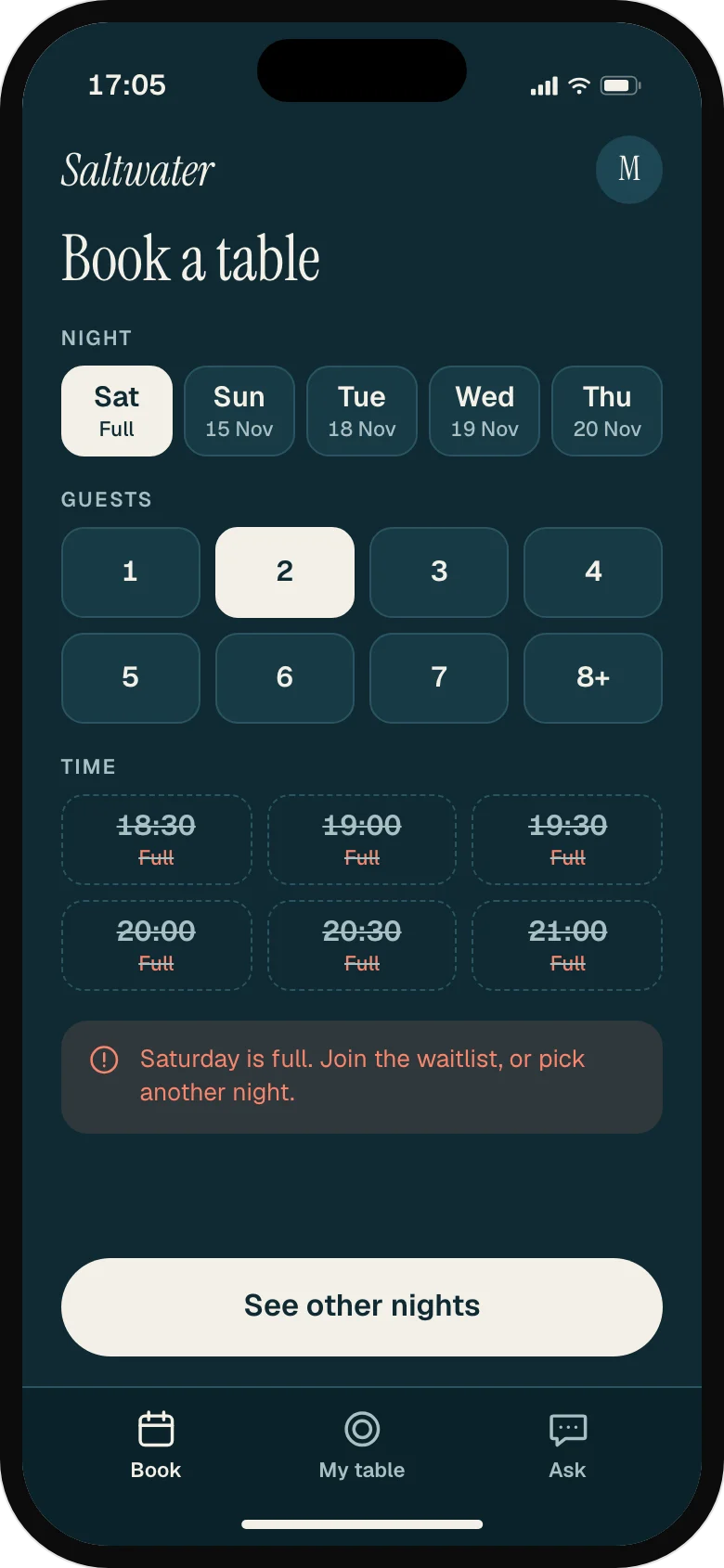
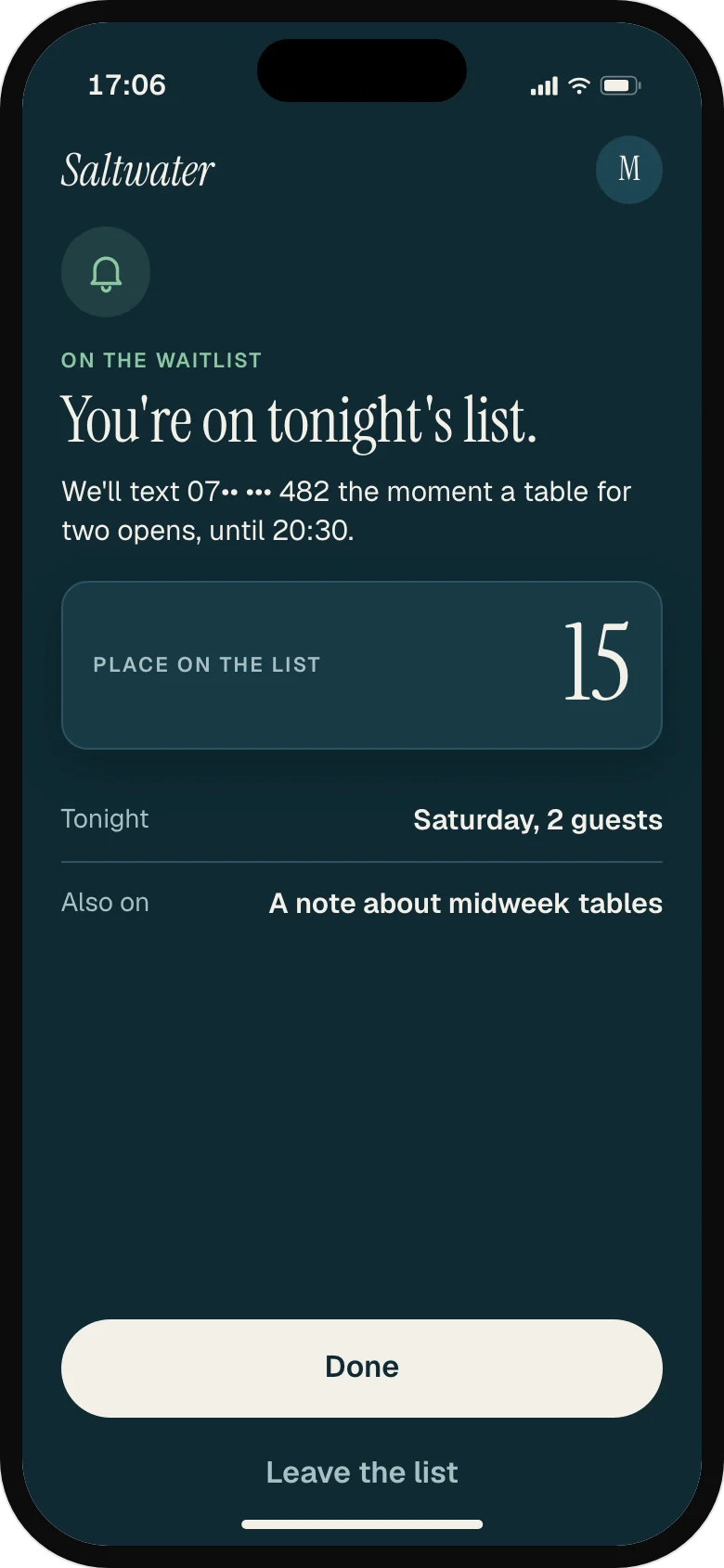
A full Saturday says so on the first screen. Guests can join the waitlist or take one of three real midweek tables in one tap, and ask for a single note when a table for their party opens.
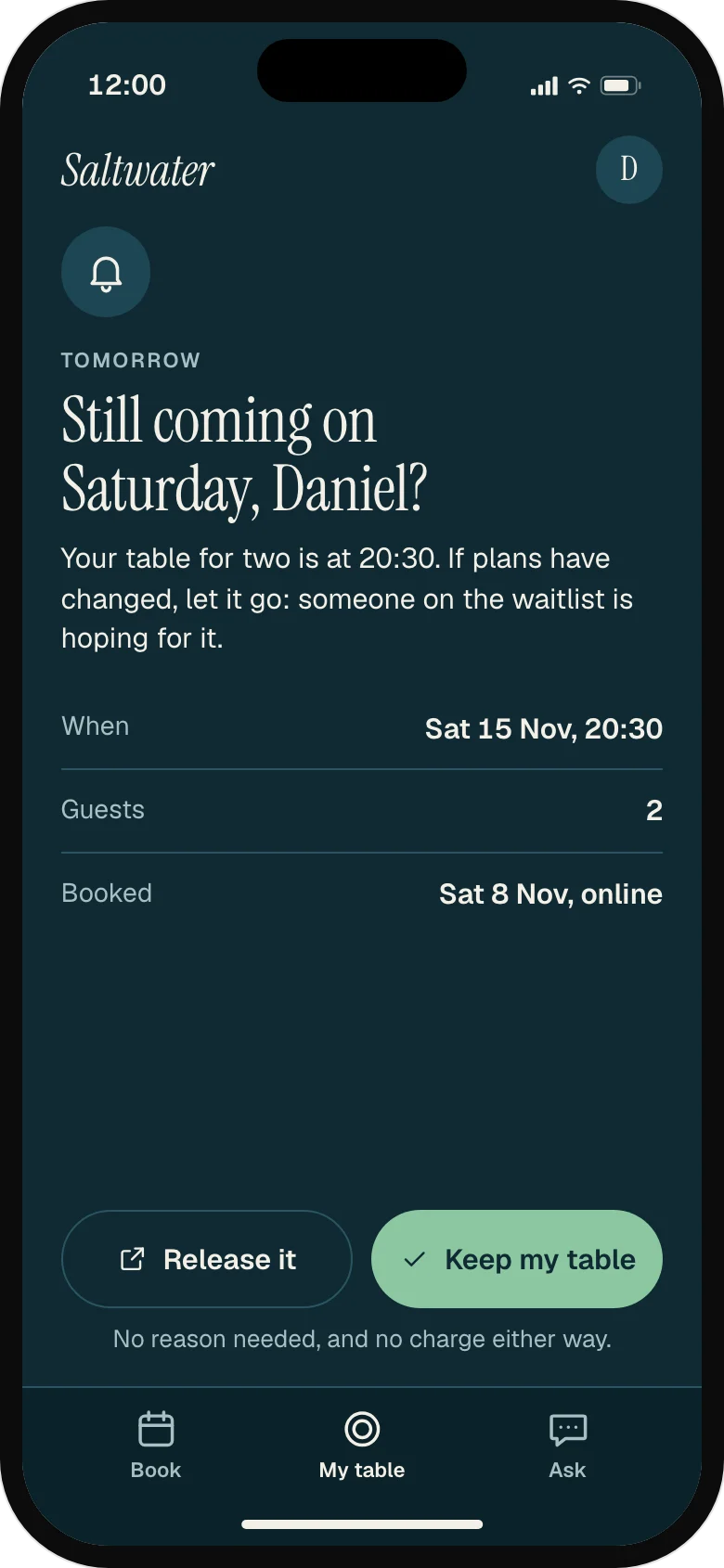
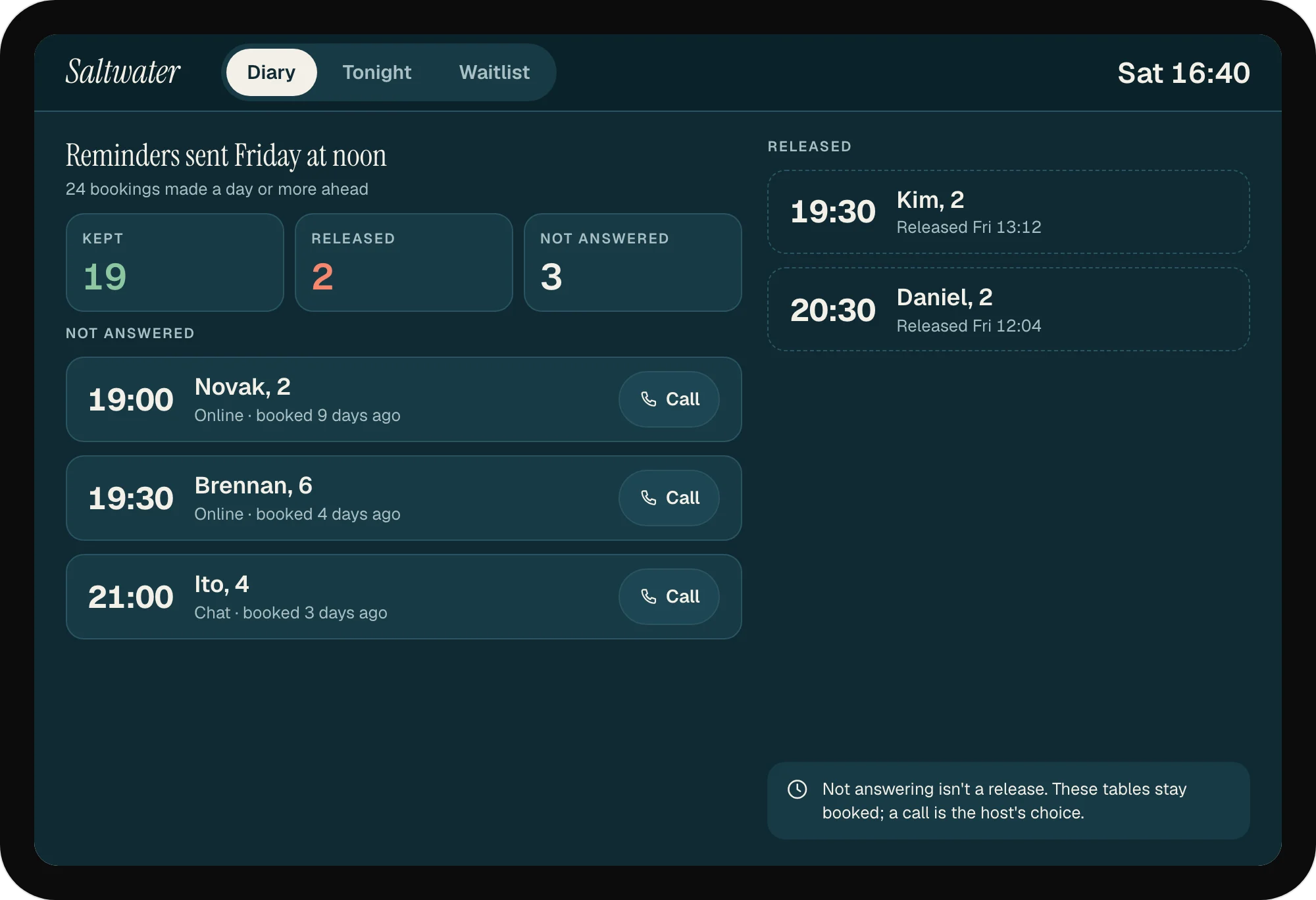
At noon the day before, every booking made a day or more ahead gets a reminder with two equal buttons: keep the table or release it, no reason asked. A released table goes straight to the waitlist; the host sees who hasn't answered.
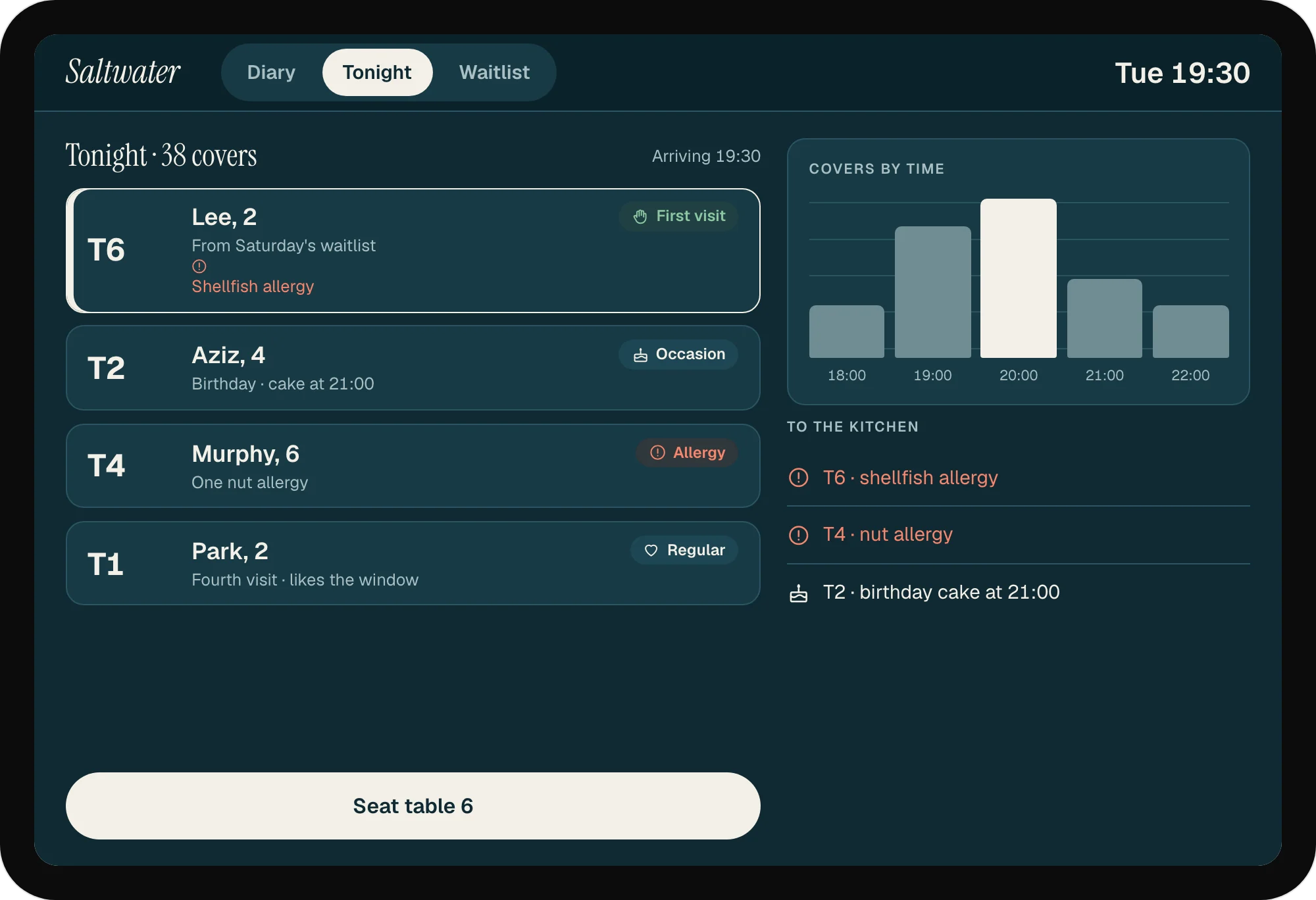
Covers by time, table plan, allergies and occasions for the floor team.
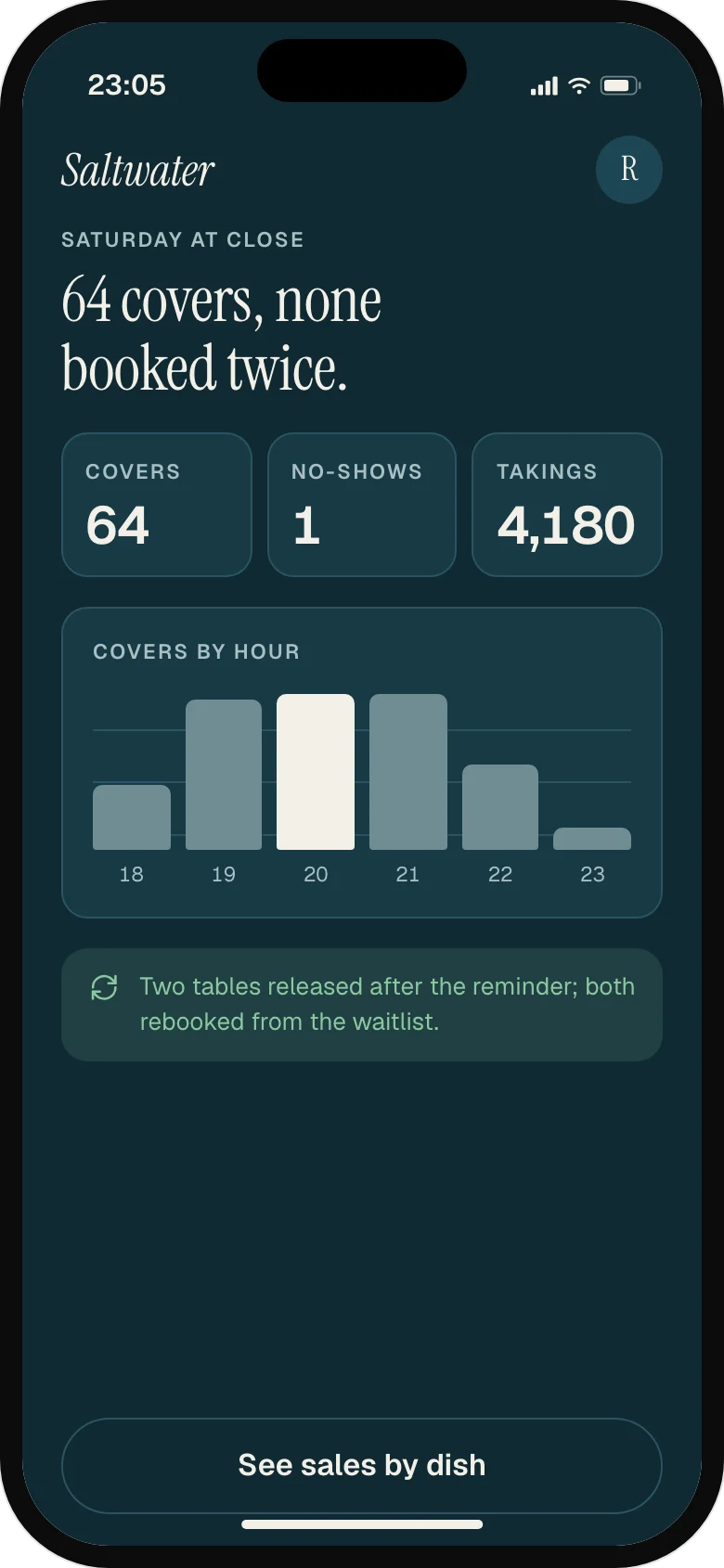
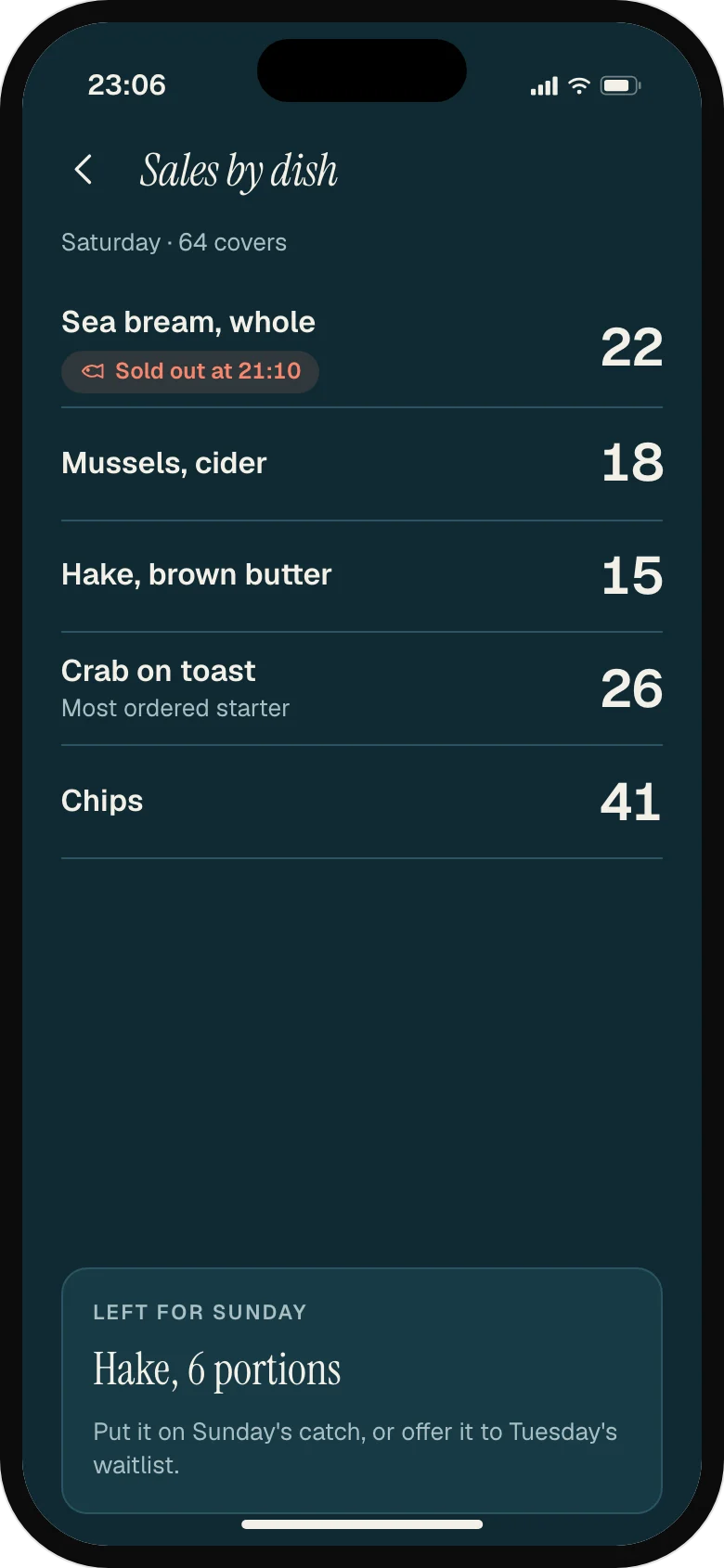
Sales by dish and covers by hour on the owner's phone, before they leave.
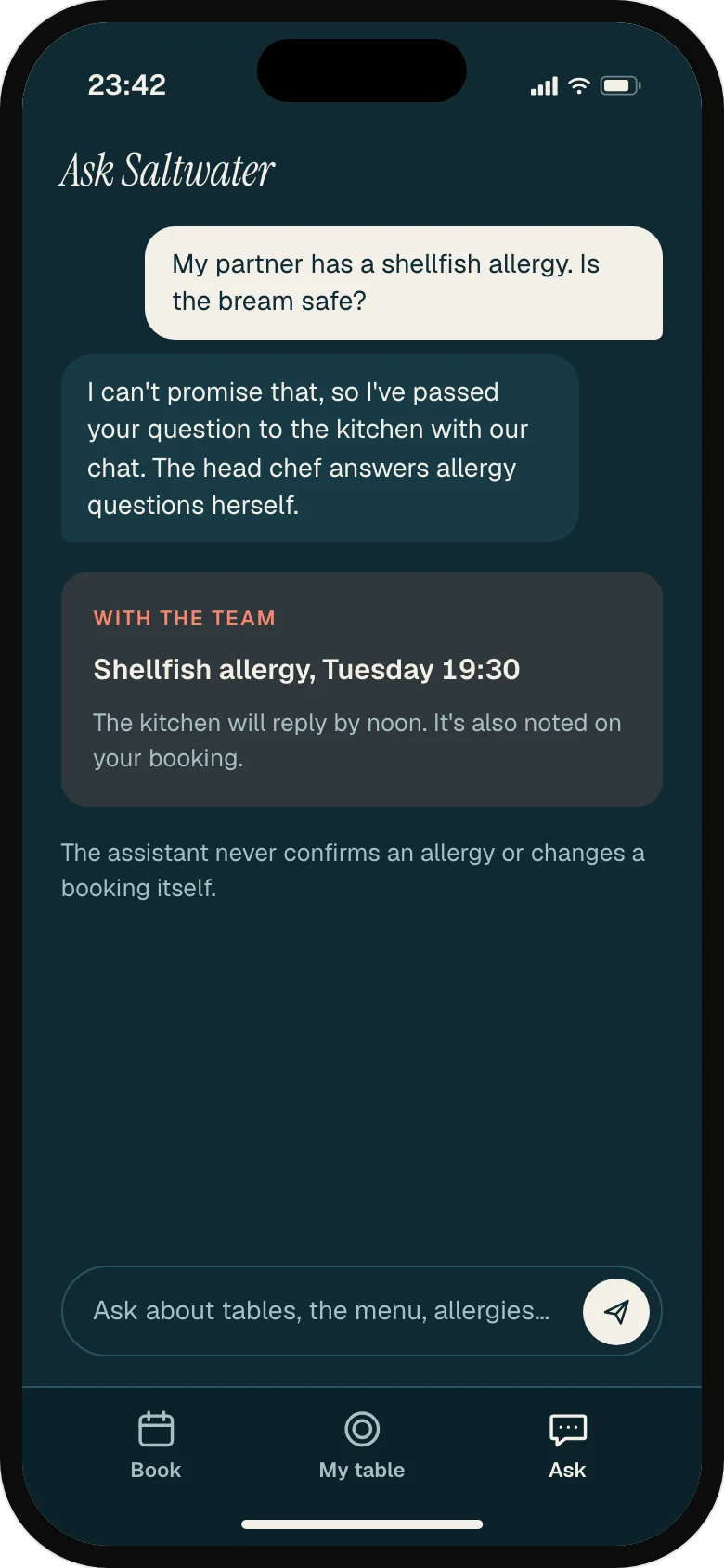
An assistant answers booking questions in chat and on the website at any hour: tables, times, menu, parking, dietary needs. Groups over eight, allergies and anything unusual go to the team with the conversation attached. The assistant says it's AI, and it never confirms a change to a booking it can't make.
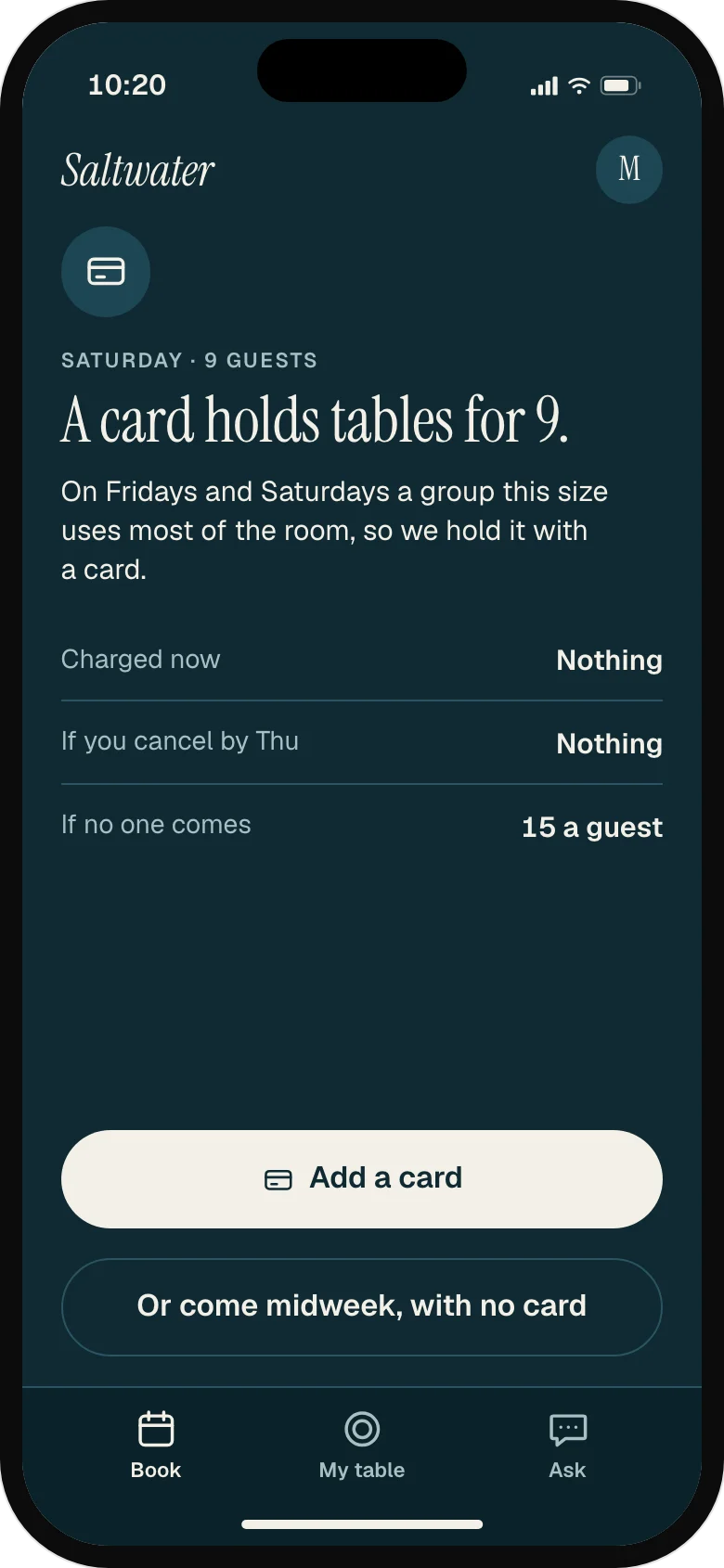
We chose not to ask every guest for a deposit. It would make people pay before they'd decided to come, and midweek is when the restaurant needs them most. Reminders that make releasing a table easy come first; a card hold stays for parties of eight or more on Friday and Saturday, said before the guest fills anything in.
The guest's booking pages, the host's tablet and the owner's phone share one set of colours, type and parts, and one diary underneath, so a table can only ever be in one place.
01
A full Saturday is said up front, with somewhere else to go.
Full, before anyone fills in a form
A full night shows as full on the first screen, with the reason and the way out.
Never turned away empty-handed
Tonight's waitlist and three real midweek tables, each one tap. Asking to hear about midweek is one tick.
A place, and until when
Their place on the list and the time the offer stops, so no one waits by the phone all night.
02
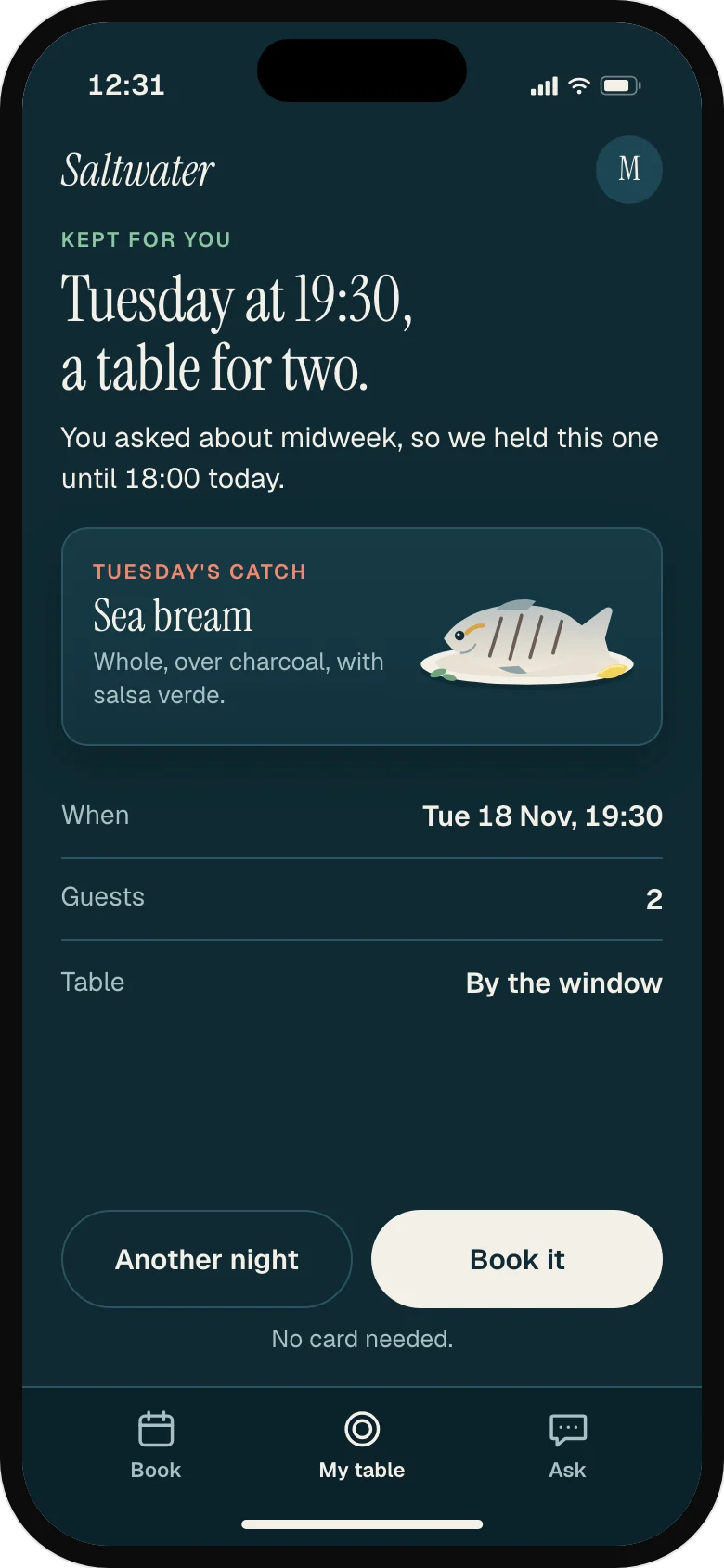
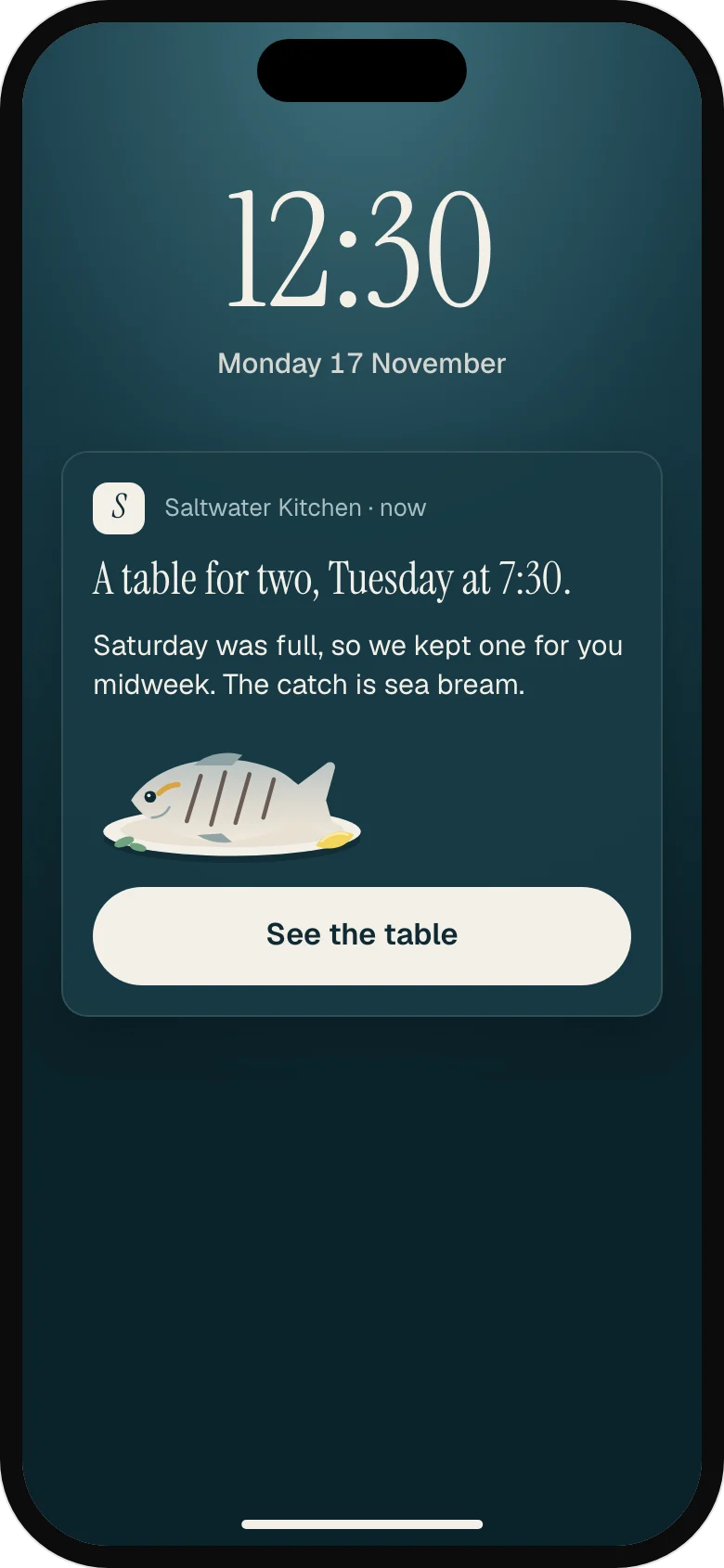
The people turned away are the first to hear about a midweek table.
One note, on Monday
A real table on a real night, with the catch of the day. One note, not a newsletter.
Held, with a deadline
The table is held until 18:00, then goes back to the diary. The catch is the reason to say yes.
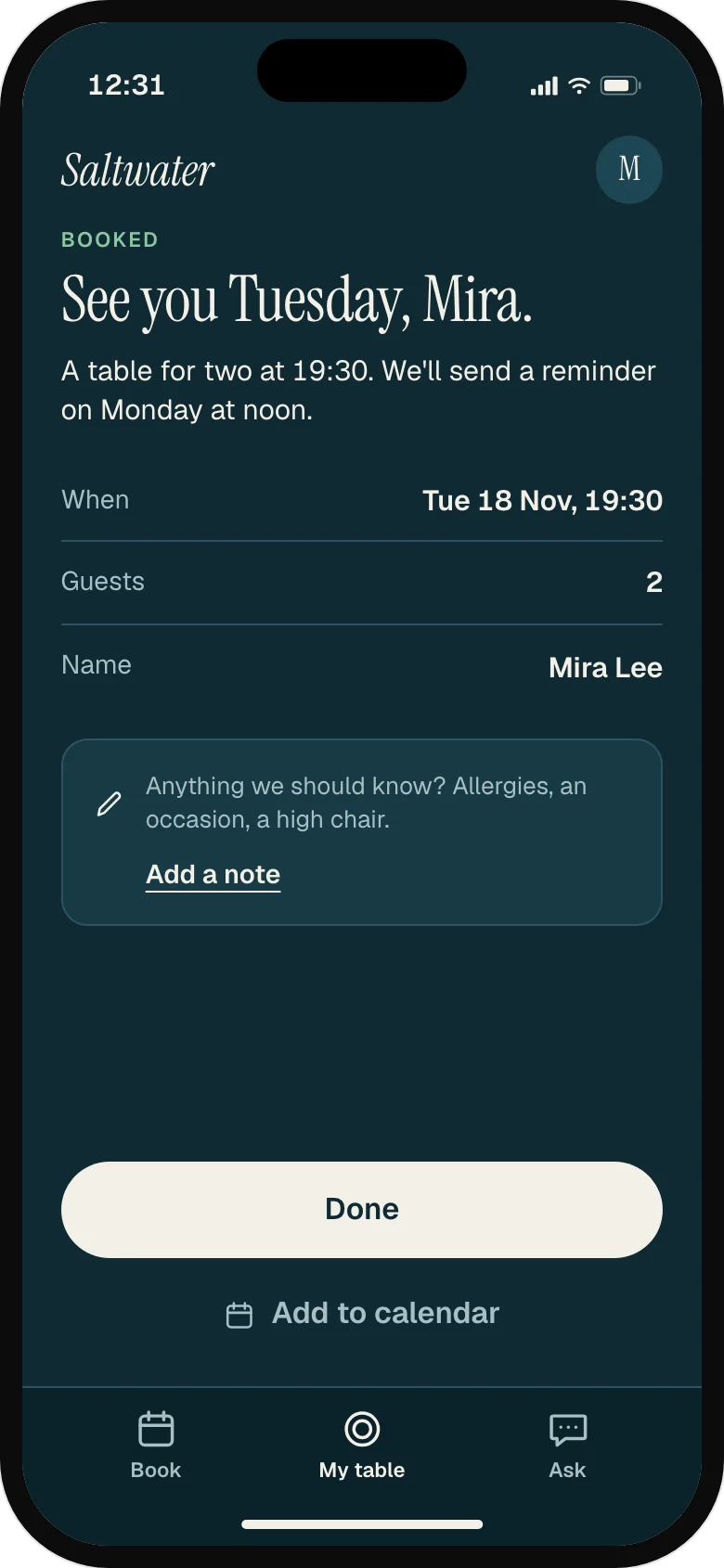
Booked in one tap
Every detail is already known. The note box asks for allergies and occasions, the things the floor needs.
03
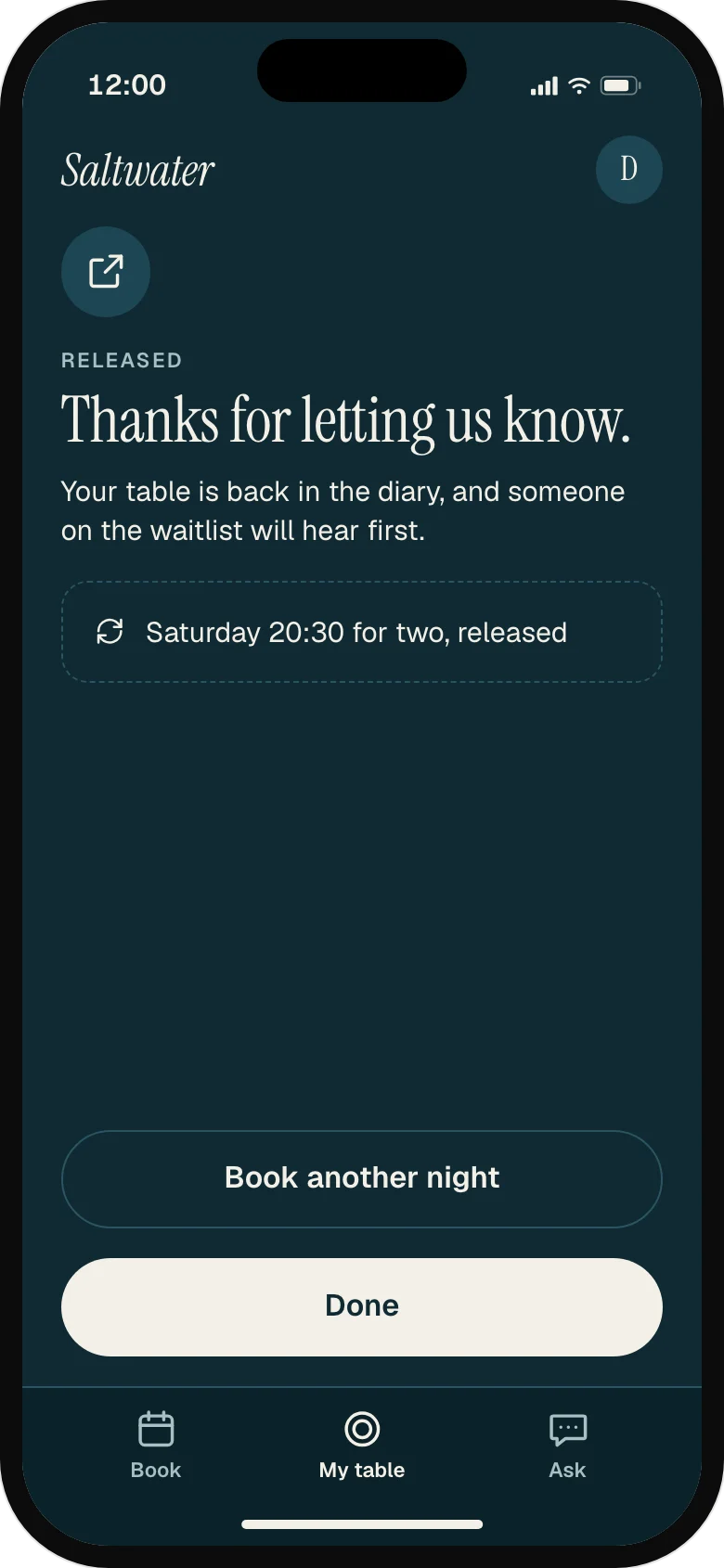
Giving a table back is as easy as keeping it.
Keep or release, side by side
Two equal buttons and no reason asked. Releasing is as easy as keeping, so tables come back early.
Thanks, not guilt
The guest hears where the table went. The waitlist hears first.
04
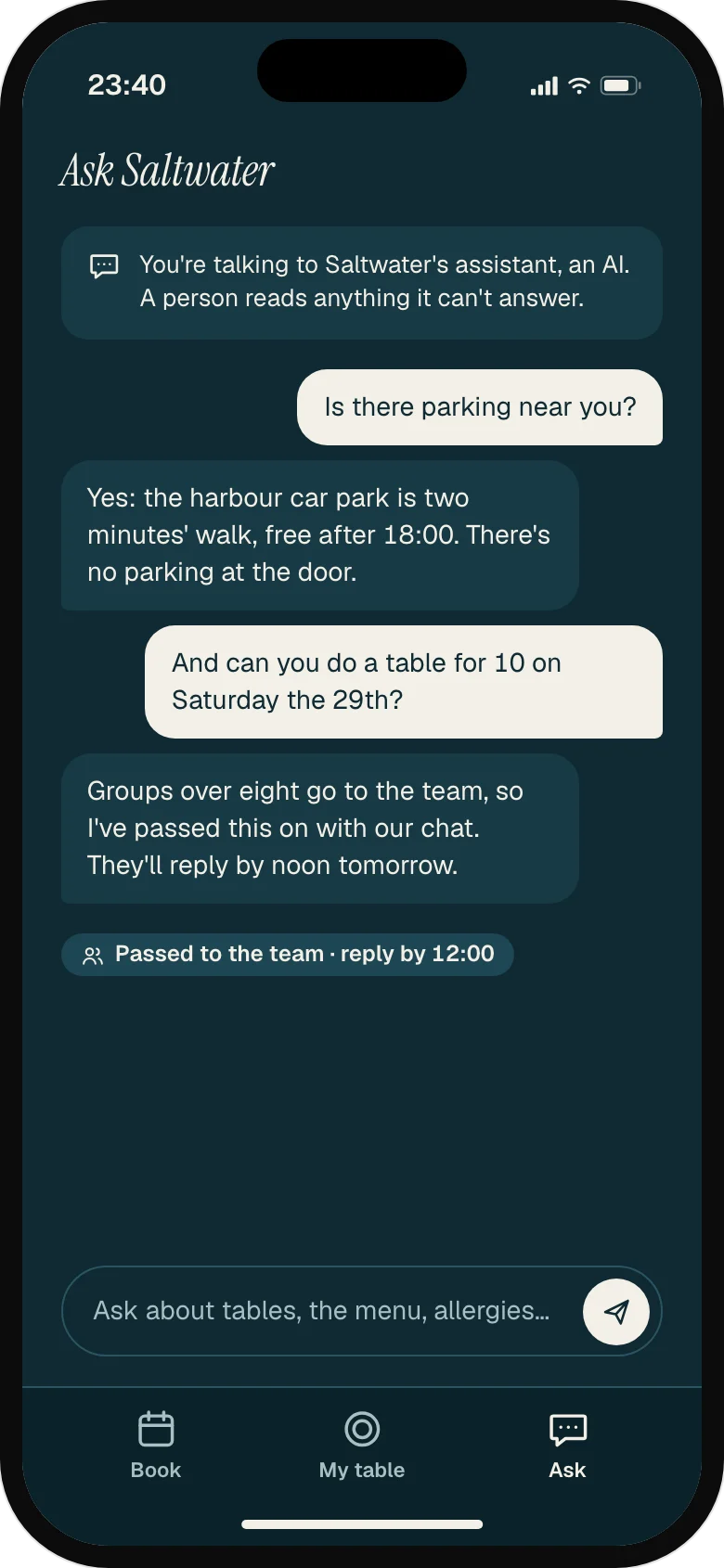
An assistant that says it's AI, and hands over what it can't promise.
It says it's AI
The first line says so. It answers parking and the menu, and passes groups over eight to the team.
Allergies go to a person
It never promises a dish is safe. The question goes to the kitchen with the chat attached.
05
Every failure says what happened and what's still possible.
Taken a moment ago, said plainly
Two people can't book one table. The nearest free times are already offered.
A card only where it counts
Holds only for 8 or more on Friday and Saturday, with what's charged spelled out. Midweek needs no card.
06
The night in numbers before they leave.
The night, before they leave
Covers, no-shows and takings on the owner's phone at close, not in next month's accounts.
What sold, and what's left
Sales by dish, what sold out and when, and the fish still in the fridge for tomorrow.
07
A tablet at the host stand, read between greetings.
One diary, every channel
Online, chat, phone and walk-in in one table plan. Each booking shows where it came from.
Who hasn't answered
Kept, released and silent, at 16:40. Silence keeps the table; the host decides whether to call.
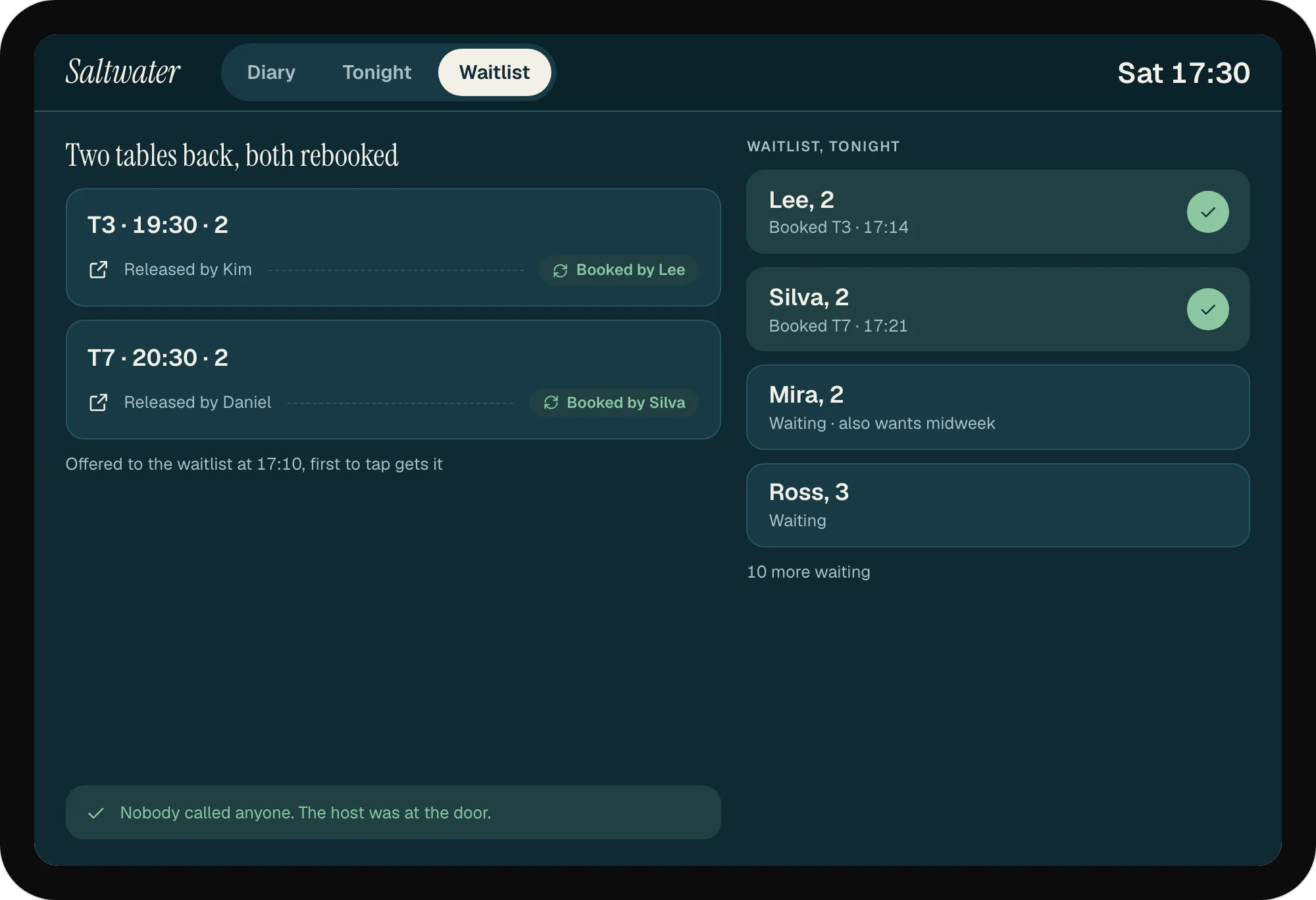
Back to the waitlist, untouched
A released table is offered to the waitlist at once. The host watches it happen.
08
Who's arriving, what the kitchen must know, and no double bookings.
Tonight on one screen
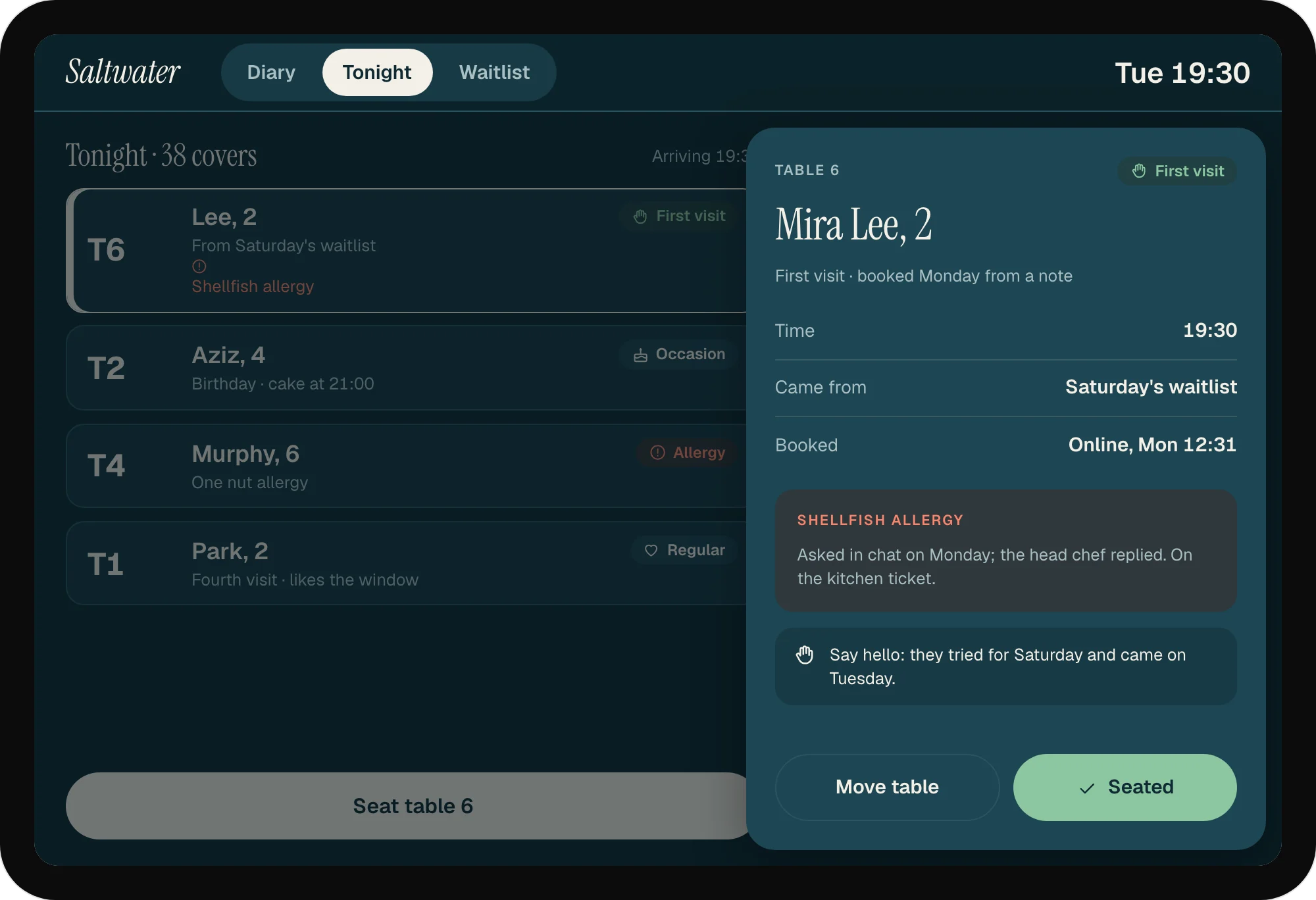
Who's arriving, what's a first visit, and the allergies in coral, the one colour that means look twice.
A first visit, known
Where they came from and what they told the kitchen, so the host can greet them properly.
The double booking that didn't happen
A phone booking for a table just taken online is stopped, with the nearest free table and the words to say.
A day with it
Each step happens on one side: the customer's phone or the team's screen. Here is the day, in order.
Skip the dayTeam01 / 05
Online, chat, phone and walk-in bookings fill one table plan. Tonight is full, and nothing is booked twice.
Customer02 / 05
A couple trying for tonight find it full. They join the waitlist and ask to hear about other nights.
Team03 / 05
Two tables released after yesterday's reminder go to the waitlist, and both are rebooked before service.
Customer04 / 05
The couple get a note: a table for two on Tuesday at 7:30, with the catch of the day. They book it in one tap.
Team05 / 05
The floor team sees covers by time, allergies and occasions. Table 6 is the couple, on their first visit.
It shows as full on the first screen, before any form, with the waitlist and three midweek tables offered in its place.
The diary takes one booking per table and time. The second guest is told it went a moment ago and offered the nearest free times; a host taking a phone booking gets the same, with the words to say to the caller.
Silence is not a release: the table stays booked, and the host sees the unanswered bookings by 17:00 and decides whether to call.
Parties of eight or more on Friday and Saturday leave a card. The screen says what's charged now (nothing), if they cancel by Thursday (nothing) and if no one comes, and offers midweek without a card.
It says it's AI in its first line. Allergies, groups over eight and changes to a booking go to a person with the chat attached, and the guest is told when to expect a reply.
Allergies are the one thing in coral on the host's screen and go on the kitchen ticket; the assistant never promises a dish is safe.
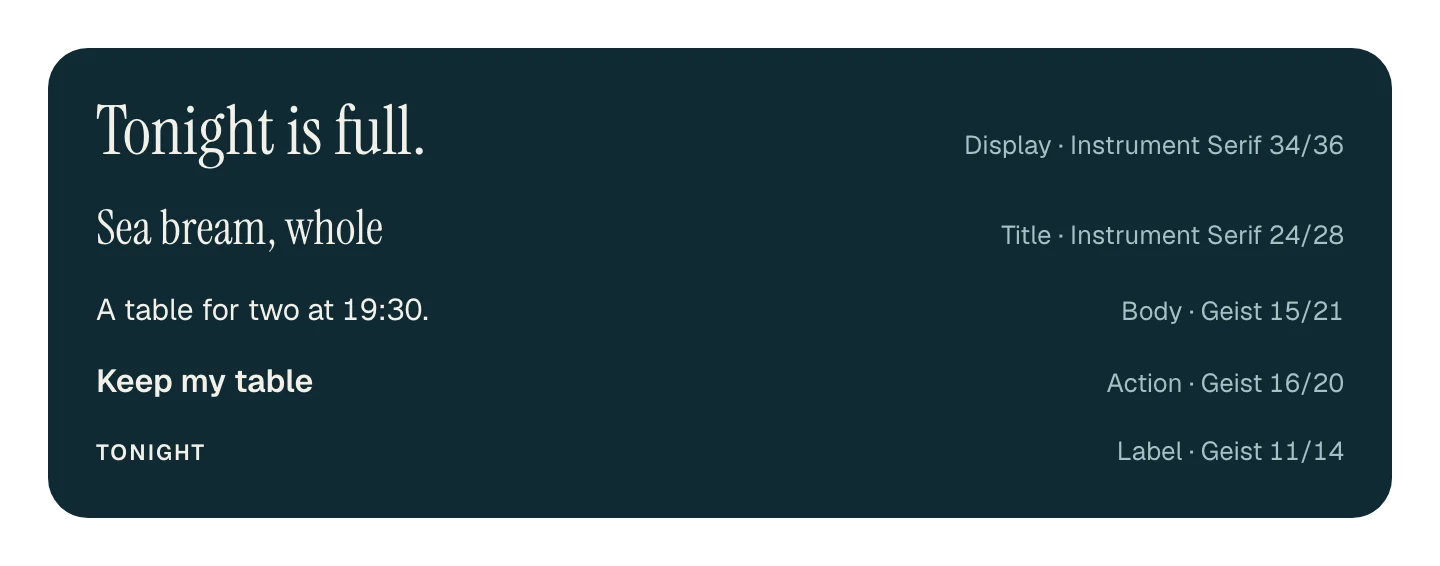
Harbour chalkboard: sea-ink surfaces, because the host stand sits in a dim dining room and a bright tablet glares; chalk type like the specials board; coral only for what needs a second look (an allergy, the catch, a full night) and kelp green only for what's settled. Instrument Serif for the restaurant's voice and the fish, Geist for everything a host or guest taps. Every target is at least 44 points, every text colour passes 4.5:1, and table numbers and times are the largest thing on the host's screen.
Colour
Type
Parts
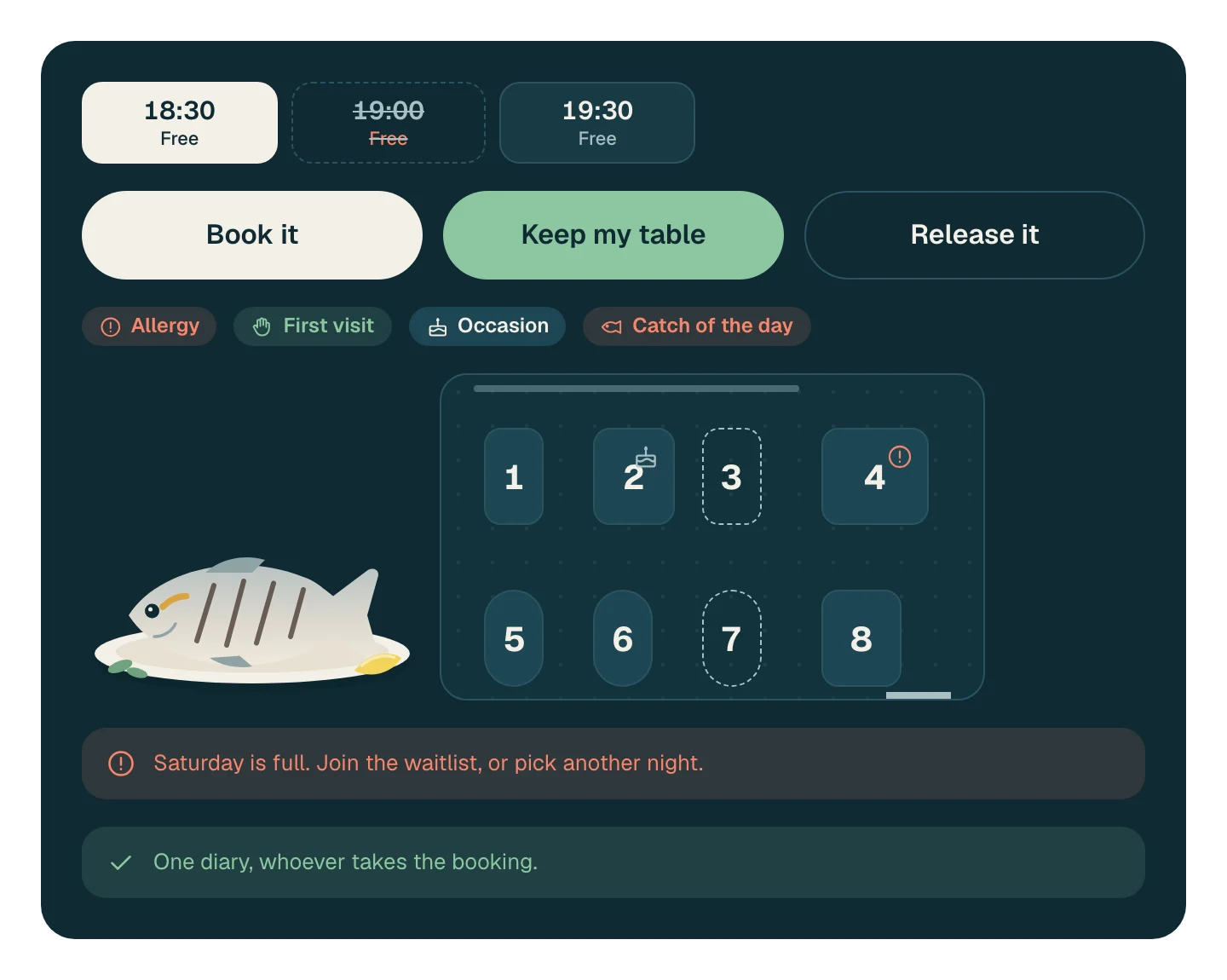
Rules
Two services at the host stand counting calls, walk-ins turned away and no-shows; interviews with the owner, the head chef and two hosts; three months of diary pages and till reports.
Before any screen was designed.
Week 1 · Research
A Friday and a Saturday service at the host stand, the interviews and the diary pages.
Week 2 · Design
The booking flow and the reminder tested on paper with guests, then the host's tablet tried during a quiet Tuesday service.
Week 3 · Build
The diary, reminders and the host's screen, run alongside the paper diary for one weekend.
Week 4 · Launch
The paper diary retired, the waitlist and midweek offers switched on, and the owner's close screen added.
From us: a product designer, a researcher and two engineers. From Saltwater: the owner, the head chef and both hosts, who ran the tablet through a Saturday before launch.
First
One diary, confirm or release, tonight on one screen.
Next
Another night, the booking assistant, the day at close.
Order-ahead app with loyalty
Receipts to books
Departures and profit per trip
Book a free call to talk it through, or start with a free check of your website.